
Are cartier watches good
Are Cartier watches good? Learn why Cartier watches stand out for craftsmanship, design, durability, and value—plus who they’re perfect for.
Many luxury watch shoppers ask: Are Cartier watches good? The answer is a resounding yes—Cartier watches are among the most respected and desirable timepieces in the world, blending Swiss precision, timeless design, and exceptional craftsmanship. They are not just status symbols; they are durable, functional, and built to last for generations. This guide breaks down why Cartier watches are good, their key strengths, and who they’re perfect for.
Cartier has been crafting luxury watches for over a century, combining its heritage as a French jewelry house with Swiss watchmaking expertise. Unlike many fashion brands that produce watches as an afterthought, Cartier designs and manufactures watches with the same attention to detail as its iconic jewelry.
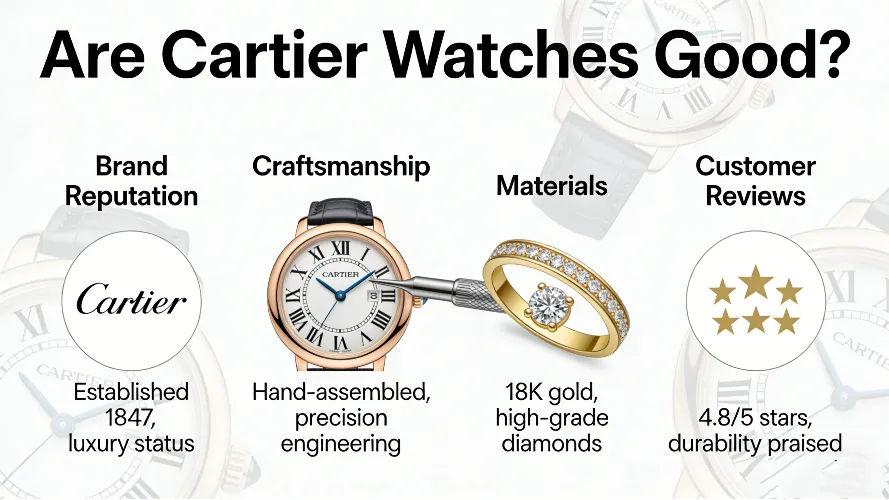
Are Cartier Watches Good: Key Reasons They Stand Out
Cartier watches excel in three core areas: craftsmanship, design, and value—making them a top choice for both watch collectors and casual luxury buyers. Below are the main reasons why Cartier watches are good and worth the investment.
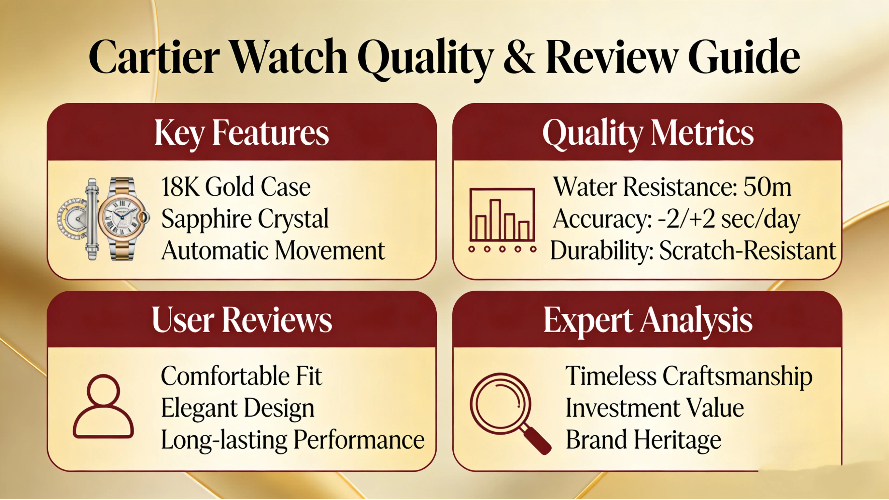
Exceptional Craftsmanship and Swiss Movement
All Cartier watches are powered by high-quality Swiss movements, either automatic (mechanical) or quartz. These movements are precision-engineered for accuracy and durability, ensuring your watch keeps perfect time for years.
Cartier’s manufacturing facilities in Switzerland adhere to strict quality standards, with each watch undergoing rigorous testing and inspection. From the metal case to the dial and hands, every component is carefully crafted to meet the brand’s exacting standards.
Timeless, Iconic Design
Cartier watches are known for their timeless designs that never go out of style. Models like the Tank, Santos, and Ballon Bleu have been popular for decades, with subtle updates that keep them modern without losing their classic appeal.
Unlike trendy watches that feel outdated after a few years, Cartier’s designs are versatile—they work with both formal and casual outfits, making them suitable for any occasion. This timelessness is a key reason why Cartier watches remain in demand.
Durable, High-Quality Materials
Cartier uses only premium materials for its watches: solid 18K gold, stainless steel, platinum, and sapphire crystal. These materials are resistant to scratches, fading, and wear, ensuring your watch looks as good as new for years.
The brand’s attention to material quality extends to every detail, from the bracelet links to the crown. Even entry-level Cartier watches feel substantial and well-made, with no cheap or flimsy components.
Strong Brand Heritage and Prestige
Cartier has a rich history dating back to 1847, and its watches have been worn by royalty, celebrities, and influential figures worldwide. This heritage adds prestige to every Cartier watch, making it a symbol of taste and success.
Owning a Cartier watch is more than owning a timepiece—it’s owning a piece of luxury history. The brand’s reputation for excellence ensures that its watches are respected by collectors and enthusiasts alike.
Good Resale Value and Longevity
Cartier watches hold their value well in the secondary market, especially popular models like the Tank and Santos. Unlike many luxury watches that depreciate quickly, Cartier’s timeless design and strong demand keep resale prices stable.
With proper care, a Cartier watch can last a lifetime—and even be passed down as a family heirloom. The brand’s commitment to quality means these watches are built to withstand the test of time. Understanding the retail price helps you recognize the quality and craftsmanship in each Cartier timepiece.
Cartier Watches vs. Other Luxury Brands
Cartier stands out from other luxury watch brands because of its dual expertise in jewelry and watchmaking. Many well-known luxury brands focus only on watch performance, but Cartier combines precision with elegant, jewelry-inspired design.
This unique balance makes Cartier a great choice for people who want both style and function. Many buyers compare Cartier to other top brands when choosing a luxury watch.
Who Should Choose a Cartier Watch
Cartier watches are ideal for people who value classic design, long-term durability, and brand prestige. They suit anyone who wants a luxury watch that can be worn daily or for special events.
If you want a watch that retains value and never goes out of style, Cartier is an excellent choice. Most respected Swiss watch brands share similar commitments to quality and durability.
Final Thoughts: Are Cartier Watches Good
In short, yes—Cartier watches are excellent. They offer exceptional craftsmanship, timeless design, durable materials, and strong brand prestige. Whether you’re a first-time luxury watch buyer or a seasoned collector, a Cartier watch is a worthwhile investment.
Cartier’s ability to balance style and function makes its watches suitable for any lifestyle. If you’re looking for a watch that is beautiful, reliable, and built to last, Cartier is an excellent choice.
- Fred Force 10 Bracelet Guide: Sizing, Price & Vintage Options - Post Date: 2026-04-05
- Is Gorjana Jewelry Good Quality? Full Honest Review 2026 - Post Date: 2026-03-31
- Is Mejuri or Gorjana Better? 2026 Honest & Detailed Comparison Guide - Post Date: 2026-03-31
- Is Buccellati a Luxury Brand? The Honest Luxury Status & Heritage Guide - Post Date: 2026-03-30
- Where Can I Buy Van Cleef and Arpels Jewelry? The Ultimate Safe Buying Guide - Post Date: 2026-03-29
- What Jewelry Is Suitable for Casual Wear: Easy Stylish Picks - Post Date: 2026-03-28
- What Does 750 Mean on Jewelry: Clear Essential Guide - Post Date: 2026-03-28
- What Is the Best Way to Care for Gold Jewelry: Easy & Effective Guide - Post Date: 2026-03-28
- What Does 585 Mean on Jewelry: Clear & Complete Guide - Post Date: 2026-03-27
- How Do You Know If Gold Jewelry Is Real? Simple & Accurate Tests - Post Date: 2026-03-27
- Why is Cartier so expensive?What is special about Cartier? - Post Date: 2026-03-15
- skyworth tv is what brand?skyworth tv is it easy to use for? - Post Date: 2026-03-11
- Why is Van Cleef so expensive?Is Cartier or Van Cleef cheaper? - Post Date: 2026-03-17
- Why is Graff so expensive?Is Graff a high-end jewelry brand? - Post Date: 2026-03-18
- Is Cartier worth the money?Which is more expensive cartier or bvlgari jewelry? - Post Date: 2026-03-17
- 925 Silver vs Stainless Steel Jewelry - Post Date: 2026-03-20
- Is Bulgari a Luxury Brand?Is Bulgari higher than Cartier? - Post Date: 2026-03-18
- Why is Tiffany so expensive now?Is Tiffany considered a luxury brand? - Post Date: 2026-03-17
- Dreame brand is from which country?Is Dreame owned by Xiaomi? - Post Date: 2026-03-15
- How does the Pigeon brand ensure product safety - Post Date: 2026-03-17
- Fred Force 10 Bracelet Guide: Sizing, Price & Vintage Options - Post Date: 2026-04-05
- Is David Morris a luxury brand? Timeless Craftsmanship That Defines Elite Luxury - Post Date: 2026-04-04
- Who is the designer of Belperron jewelry? The Visionary Who Redefined Luxury - Post Date: 2026-04-04
- What makes Belperron jewelry unique? Fascinating Design Secrets Collectors Adore - Post Date: 2026-04-04
- Is Fred Jewelry under LVMH? Clear Ownership & Brand History Guide - Post Date: 2026-04-04
- Why is Boucheron so Expensive? Craftsmanship & Series That Justify the Price - Post Date: 2026-04-04
- Is Boucheron or Mellerio Older? Fascinating Age Comparison of Iconic Brands - Post Date: 2026-04-04
- When was Boucheron Founded? Fascinating Historical Origins Revealed - Post Date: 2026-04-04
- Is Boucheron a Luxury Brand? Expert Verdict & Analysis - Post Date: 2026-04-04
- Is Damiani a Luxury Brand? A Complete Expert Analysis - Post Date: 2026-04-04